Evaluating the Vintage Ornamental Corner Illustration for Design Projects
In the realm of graphic design, the details often define the perceived quality of a final product. Among these details, corner ornaments serve as subtle yet powerful framing devices that guide the viewer’s eye and establish a tone of elegance or tradition. The Vintage Ornamental Corner Illustration represents a specific category of digital assets designed to meet this need. This article explores the characteristics, practical applications, and technical considerations of using such vector-based decorative elements in professional and personal design workflows.
Understanding the Asset Structure
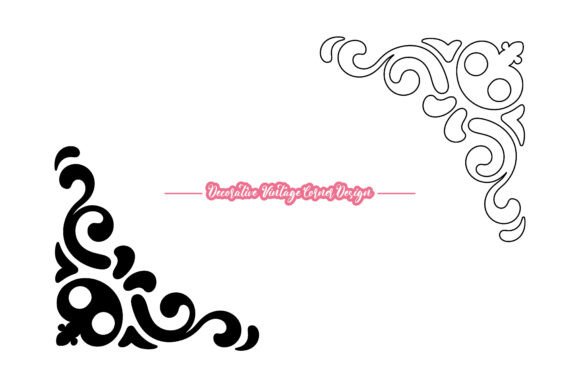
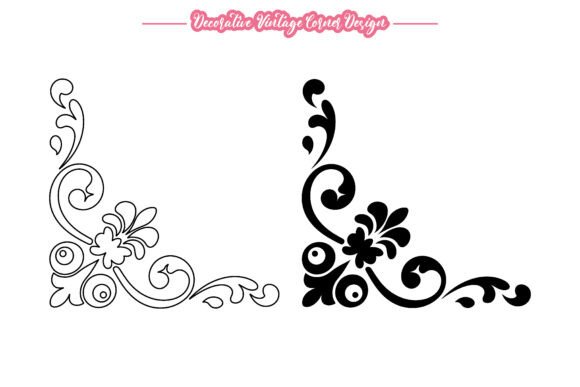
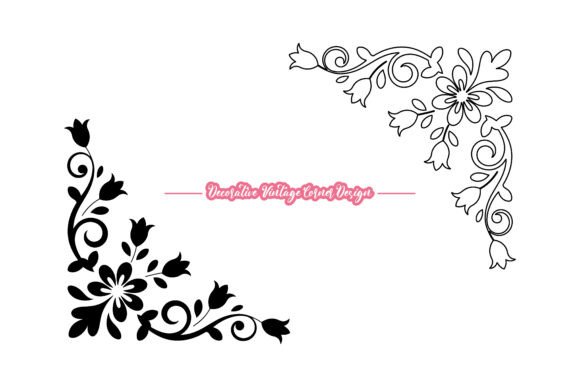
A vintage ornamental corner illustration is typically a vector graphic featuring intricate scrollwork, floral motifs, or classical geometric patterns. Unlike raster images, which are composed of pixels, vector files are built using mathematical paths. This distinction is critical for designers who require scalability without loss of resolution. The specific package under discussion includes both solid and outline styles, offering versatility in how the ornament interacts with background colors and other design elements.
The core value proposition of this asset lies in its dual-format delivery. By providing an EPS file alongside a high-resolution JPG, the creator addresses two different user needs. The EPS file ensures that the design remains editable and infinitely scalable, suitable for large-format printing or precise logo integration. The JPG serves as a quick-reference preview or a ready-to-use element for projects where editing capabilities are not required. Furthermore, the inclusion of 100 vector shapes within the file suggests a modular approach, allowing users to deconstruct the corner piece and repurpose individual swirls or leaves for custom compositions.
Practical Applications and Use Cases
Designers and hobbyists alike turn to vintage corner illustrations when they need to evoke a sense of history, sophistication, or formality. The following scenarios represent strong fits for this type of asset:
- Formal Invitations and Certificates: Wedding invitations, award certificates, and diplomas often rely on border elements to frame text and add gravitas. A vintage corner ornament provides a classic aesthetic that complements serif typography and formal language.
- Branding and Logos: For businesses in industries such as law, finance, luxury goods, or heritage crafts, a logo incorporating ornamental scrollwork can communicate stability and tradition. The editable nature of the EPS file allows brand designers to adjust colors to match specific corporate identity guidelines.
- Print Media and Editorial Design: In book layouts, magazine headers, or menu designs, corner ornaments can break up white space and create visual anchors. They help organize content sections without overwhelming the reader.
- DIY Crafts and Scrapbooking: The high DPI resolution and clean lines make these illustrations suitable for physical crafts. Users can print them for paper crafts, embossing, or even as templates for laser cutting or vinyl plotting.
Technical Considerations and Workflow Integration
When evaluating whether to incorporate a Vintage Ornamental Corner Illustration into a project, it is essential to consider the technical requirements of your workflow. The asset is provided in RGB color mode, which is standard for digital displays and many modern printing processes. However, designers preparing files for offset printing should be aware that converting RGB to CMYK may result in slight color shifts. It is advisable to perform this conversion early in the design process to adjust any hues that fall outside the printable gamut.
The resolution of 300 DPI for the included JPG ensures that the raster version is print-ready for standard document sizes. Nevertheless, the true advantage lies in the EPS file. Compatible with Adobe Illustrator and similar vector software, this format allows for complete customization. Users can modify stroke weights, change fill colors, or alter the arrangement of the 100 vector shapes. This level of control is crucial for maintaining design consistency across various media.
It is also important to note the file organization. The assets are delivered in a ZIP format, which requires extraction before use. While this is a standard practice for digital downloads, users should ensure they have adequate software to handle compressed files and vector formats. Those unfamiliar with vector editing software may find the learning curve steep, although the availability of the JPG offers a lower-barrier entry point for basic usage.
Tradeoffs and Alternative Options
While vintage ornamental corners offer distinct aesthetic benefits, they are not universally appropriate. Designers must weigh the potential tradeoffs against their project goals. One significant consideration is visual clutter. Ornate scrollwork can compete with text if not spaced correctly. In minimalist or modern design contexts, such intricate details may appear outdated or distracting. In these cases, simpler geometric borders or clean line art may be more effective.
Another factor is the trend cycle. Vintage aesthetics experience periods of popularity followed by decline. While classic styles tend to have longer longevity than trendy motifs, relying heavily on ornate decorations can date a brand if not balanced with contemporary typography and layout techniques. Designers should evaluate whether the vintage style aligns with their target audience’s expectations. For tech startups or youth-oriented brands, a vintage corner illustration might create a dissonant brand message.
Additionally, while vector files are highly flexible, they require specific skills to manipulate effectively. Users who lack access to or proficiency with software like Adobe Illustrator may find the EPS file less useful. For these individuals, pre-rendered PNGs with transparent backgrounds or drag-and-drop design platforms might offer a more efficient workflow, albeit with less customization potential.
Making an Informed Decision
Selecting the right decorative element involves balancing aesthetic desire with functional necessity. The Vintage Ornamental Corner Illustration is a strong candidate for projects requiring a touch of elegance, historical reference, or formal structure. Its value is maximized when the user has the technical capability to edit vector files and the design sensibility to integrate ornate details without overwhelming the composition.
Before purchasing or downloading, consider the following checklist:
- Project Tone: Does the project benefit from a classic, traditional, or luxurious feel?
- Technical Skill: Are you comfortable using vector editing software to customize colors and shapes?
- Output Medium: Will the design be used primarily in print, digital, or both? Ensure the RGB color mode aligns with your printing requirements.
- Composition Balance: Do you have sufficient white space to allow the ornament to breathe, or will it clash with existing content?
Ultimately, the decision to use this asset should stem from a clear understanding of its role in the overall design hierarchy. When used judiciously, vintage corner ornaments can elevate a simple layout into a polished, professional piece. However, they should serve the content, not distract from it. By carefully evaluating the fit between the asset’s characteristics and the project’s requirements, designers can leverage these illustrations to enhance visual communication effectively.
For those interested in expanding their library of decorative resources, exploring variations in style, complexity, and historical period can provide a broader toolkit. Whether for a one-time invitation or a comprehensive branding package, the right ornamental element adds a layer of refinement that resonates with viewers on a subconscious level.